New: The Jig's Up, a Jigsaw Activity Generator for ESL Teachers
There's a new app in English, no kidding, the 27th. It's called The Jig's Up, and it does one thing: it turns a topic into a complete jigsaw activity, ready to print and run.
If you've used the jigsaw method, you know why that matters. A jigsaw activity is one of the best ESL activities for getting every student to speak, because each student holds a piece of the material nobody else in their group has. You also know the catch: writing one properly takes an evening. The pieces must carry equal weight, the group task must need every piece, and someone has to write the questions and the quiz. (If you haven't run one before, start with the step-by-step guide to the jigsaw method.)
Four formats
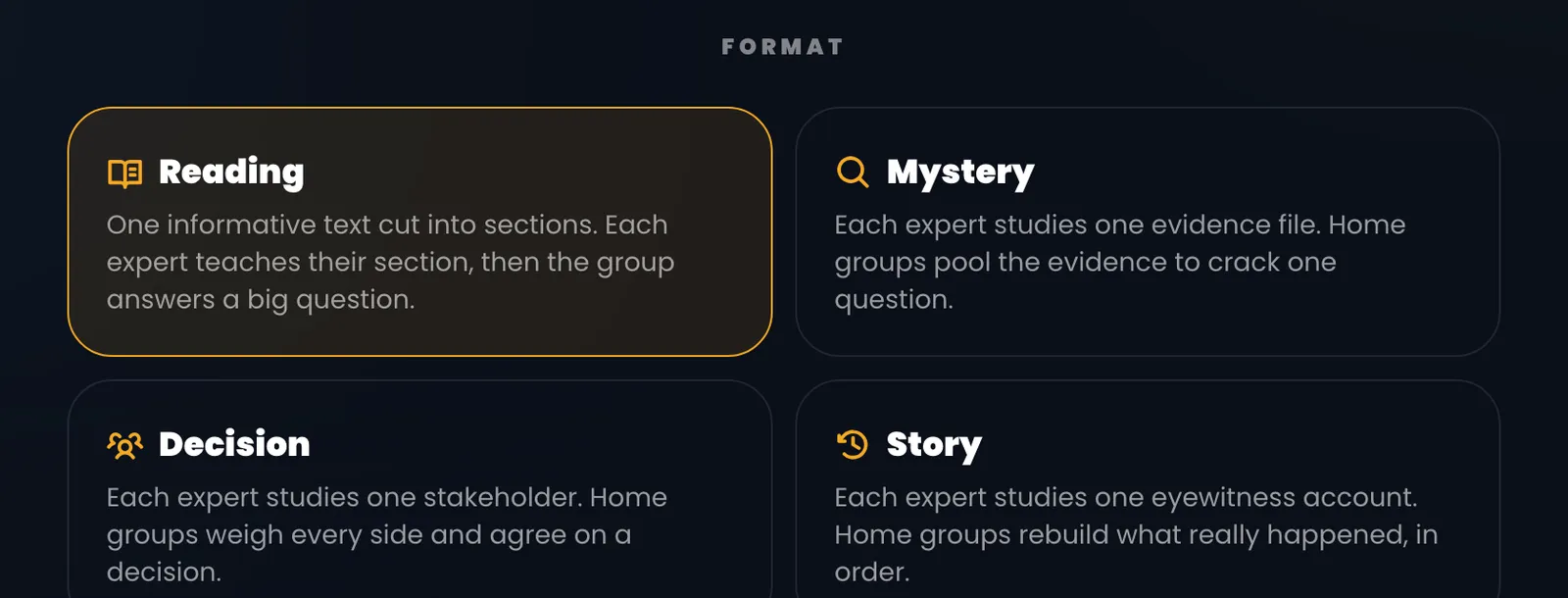
You pick one of four formats. Only the material changes; the lesson always follows the same Aronson sequence.
- Reading: one informative text cut into sections, each on a different sub-topic. This is the classic jigsaw reading lesson.
- Mystery: each expert gets one evidence file, and the group pools them to crack the case.
- Decision: each expert speaks for one stakeholder, and the group has to agree on one option.
- Story: each expert is an eyewitness, and the group rebuilds what really happened, in order.
Then you choose a CEFR level from A2 to C2 and how many students sit in each home group, from three to six. That number is how many pieces you get. You can also pull in words from your word lists, and they'll be worked into the texts.
Expert sheets your students can actually use
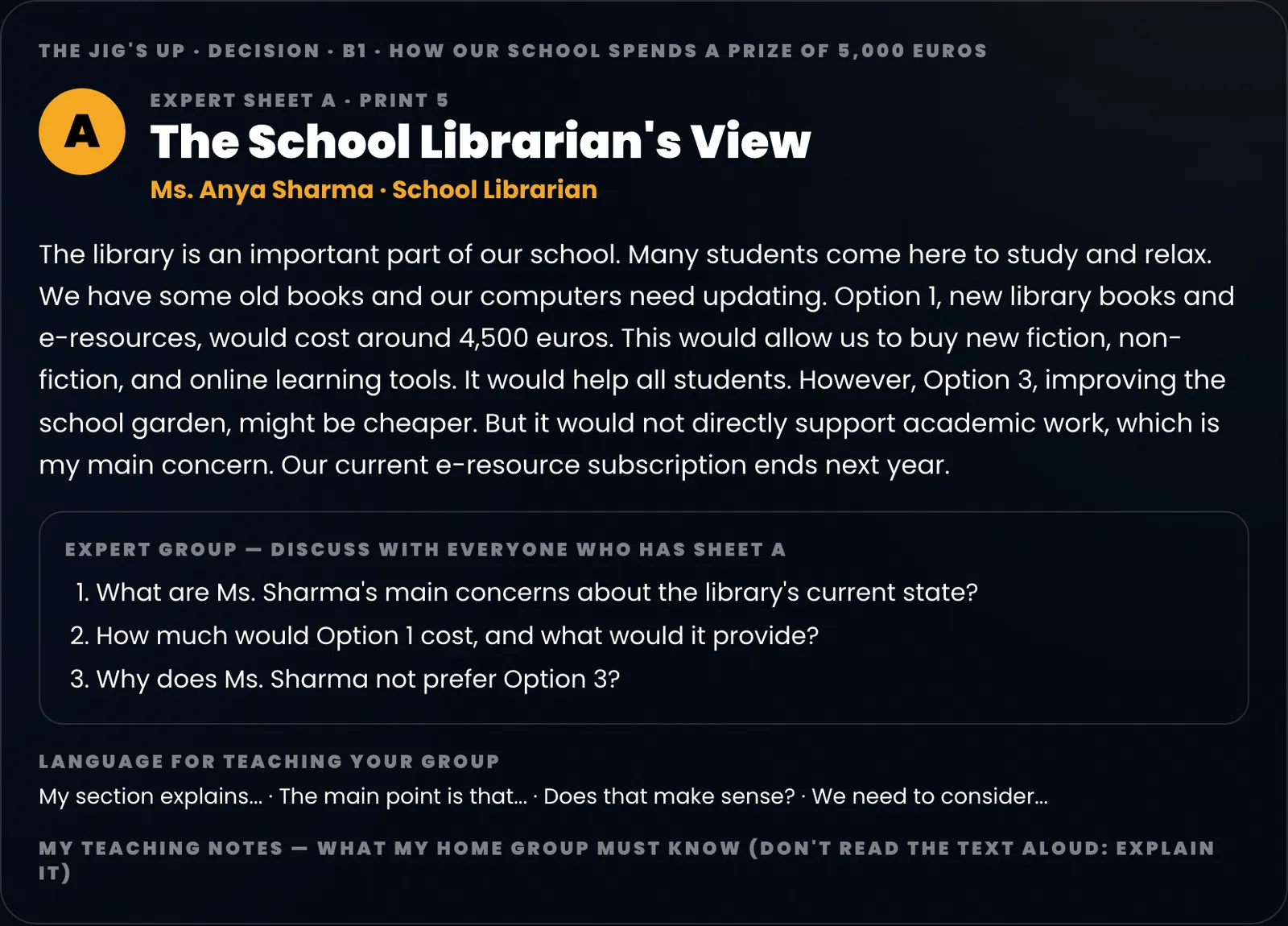
Each student gets an expert sheet. It has their text, at a length that suits the level, three questions for the expert groups to discuss, and a few phrases for teaching their piece back ("My part is about…", "Does that make sense?"). On paper it adds lines for notes, with a reminder not to read the text aloud.
The print pack also includes a notes sheet for each home group, the individual check (two questions per piece) and a teacher key with the answers and what each expert must teach. Type your class size and it tells you how many home groups you'll have and how many copies of each sheet to print, including where to put the students left over.
Before you see anything, the app checks its own work. Every piece must be needed for the group task, every piece must be covered by the quiz, and in mysteries no single file may give the answer away. If a check fails, it rewrites. You can still edit the names, roles and texts before you print.
A projector view that runs the lesson
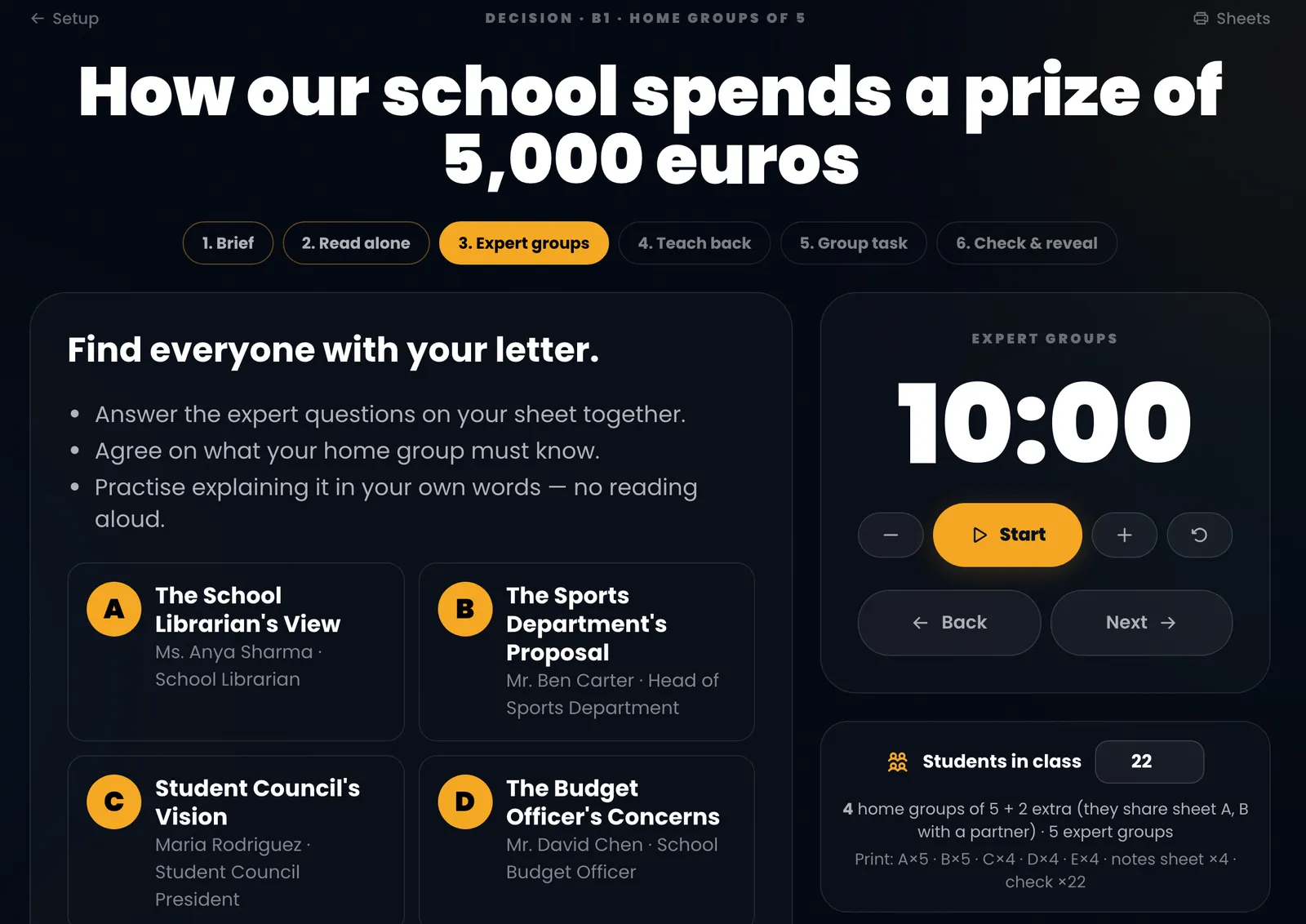
On the board, the projector view walks the class through six phases: brief, read alone, expert groups, teach back, group task, check and reveal. Each phase has a timer with sensible defaults (ten minutes for expert groups, three minutes per expert for teach-back) that you can nudge by a minute either way.
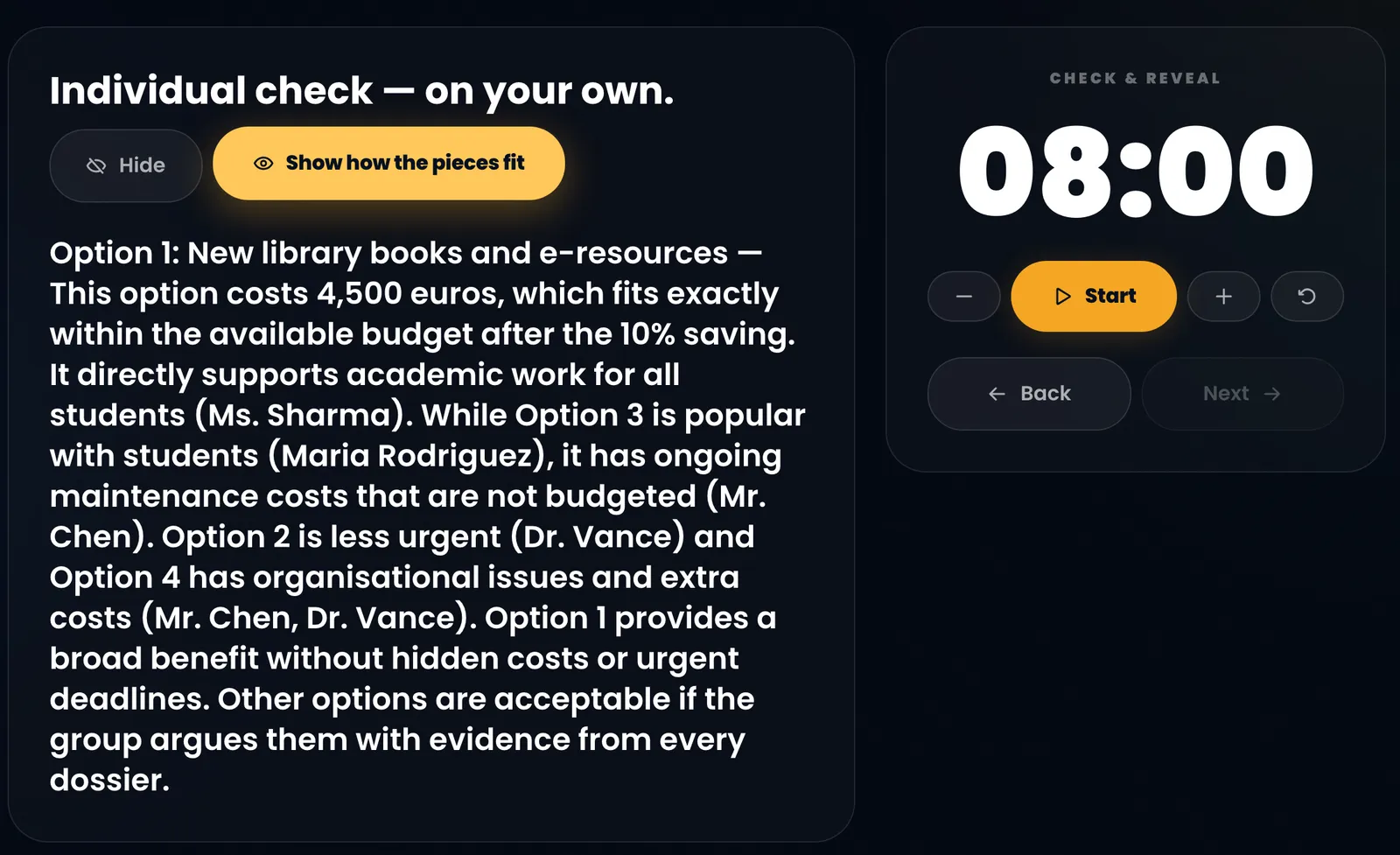
The answer only appears when you click, and then a second click shows how each piece fed into it. For a Decision jigsaw, the reveal is a suggested option, not the only right one: groups that argue for another option with evidence from every stakeholder have done the task.
Try it
The Jig's Up works on every plan and uses credits like the other AI apps. Open The Jig's Up, type a topic your class cares about, and you'll have the pack in under a minute. If you try it, I'd like to hear which format worked best with your group.
FAQ
What is The Jig's Up? The Jig's Up is an app in English, no kidding that generates a complete jigsaw activity from a topic: expert sheets for each student, expert-group questions, a home-group notes sheet and task, an individual check and a teacher key, at any CEFR level from A2 to C2.
Which jigsaw formats does it support? Four: Reading (sections of one text), Mystery (evidence files), Decision (stakeholder views) and Story (eyewitness accounts). All four follow the same sequence of home groups, expert groups, teach-back, group task and individual check.
How many students can take part? Any class size. Home groups have three to six students, and the class-size planner works out how many groups you need and how many copies of each sheet to print, including students left over.
Is The Jig's Up free? It works on every plan, including the free one, and uses AI credits from your monthly allowance like the other generator apps. See pricing for the current plans.